WELCOME TO

Instant Replay.

Broadcast-grade replays inside OBS - used in more than 25+ countries.

SCROLL
FREE TRIAL

Try it free for 14 days.

Full access to every feature - no credit card. Your license key is emailed instantly, and you can download for Windows or macOS right away.

  • All features unlocked
  • Windows & macOS
  • Instant download
No card · Cancel anytime
▶ Watch the walkthrough

See it all in action.

Full walkthrough - AI Video Editor with Whisper captions, Speed Curves, Stream Deck via Global Hotkeys, Ad Manager, and bilingual EN/ES support.

◇ Features

Everything a broadcast
team needs.

Slow-motion, queue, Stream Deck, AI highlights - without ever leaving OBS.

⏱

Slow-Motion 0.1× → 2×

1% precision speed control

▢

Inside OBS Dock

No external window

▷

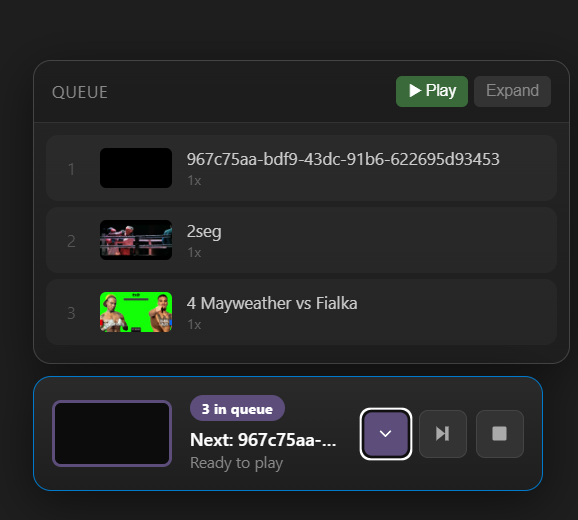
Replay Queue

Stack & order highlights

⊞

Stream Deck

One-click triggers

⚡

AI Highlights

Auto-find best moments

⚡ NEW · AI-POWERED

AI Video Editor
for OBS.

Auto-detects the best moments from your replays - KOs, audio peaks, motion bursts, scene cuts - and turns them into a polished highlight reel without leaving OBS.

⊞ Windows 10/11 macOS 12+
▶ Get Instant Replay
  • ⚡
    Highlight detection · motion, scene cuts & audio peaks scored automatically
  • 🥊
    KO & impact detection · knockdowns, takedowns, heavy shots - scored by intensity
  • 📣
    Audio peak analysis · crowd noise, commentator peaks, ring sounds
  • 🎬
    Scene & motion tracking · OpenCV across every frame for fast action
  • ▷
    Sport presets · Boxing/MMA, YouTube, Viral, Cinema - each tuned to its sport
  • ≡
    Batch + overnight · queue many videos, parallel processing based on your RAM
◊ How it works

Four steps from
replay to broadcast.

1

Record

OBS captures your stream continuously. Trigger a replay buffer at any moment from your Stream Deck or hotkey.

2

Slow-mo

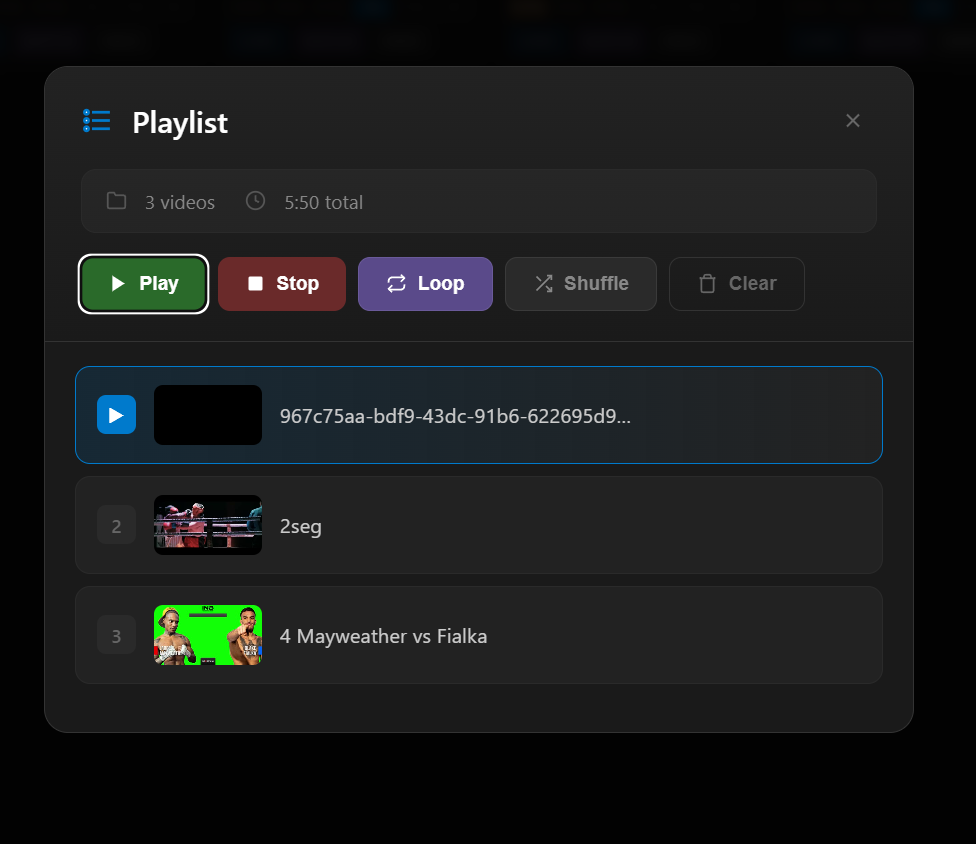
Dial in any speed from 0.1× to 2×. Audio re-pitches automatically. Queue multiple replays in order.

3

AI Highlight

The AI Editor scans for KO moments, audio peaks, scene cuts, and crowd reactions automatically.

4

Send to Live

One click - or one Stream Deck button - and the clip rolls live. Returns to scene when done.

⊞ Stream Deck Integration

Does Instant Replay
support Stream Deck?

Yes - every replay action is mappable to an Elgato Stream Deck button. Trigger replays, change playback speed, jump frames, switch sport presets, or send the active clip on-air without ever leaving OBS. First-class support for Stream Deck Mini, MK.2, XL, and Stream Deck Mobile.

✓ Trigger replay ✓ Change speed ✓ Frame-by-frame ✓ Queue clips ✓ Send on-air ✓ Switch presets
●REC
▶REPLAY
0.25×SLOW
0.5×SLOW
⚡AI EDIT
↺−1f
↻+1f
▤QUEUE
🥊BOX
★EVENT
🎙MIC
🎬INTRO
●ON-AIR
■STOP
⚙CONFIG
15 actions · Stream Deck XL layout
◇ Trusted by

Broadcast teams that
go live with us.

Live Pro Broadcasting
BOXING · EVENTS
Roman Photography
LIVE PRODUCTION
The Punchline
BOXING PROMOTIONS
INB International Boxing
GLOBAL BROADCASTS
AND 200+ BROADCASTERS IN 25+ COUNTRIES
◳ Screenshots

See Instant Replay in action.
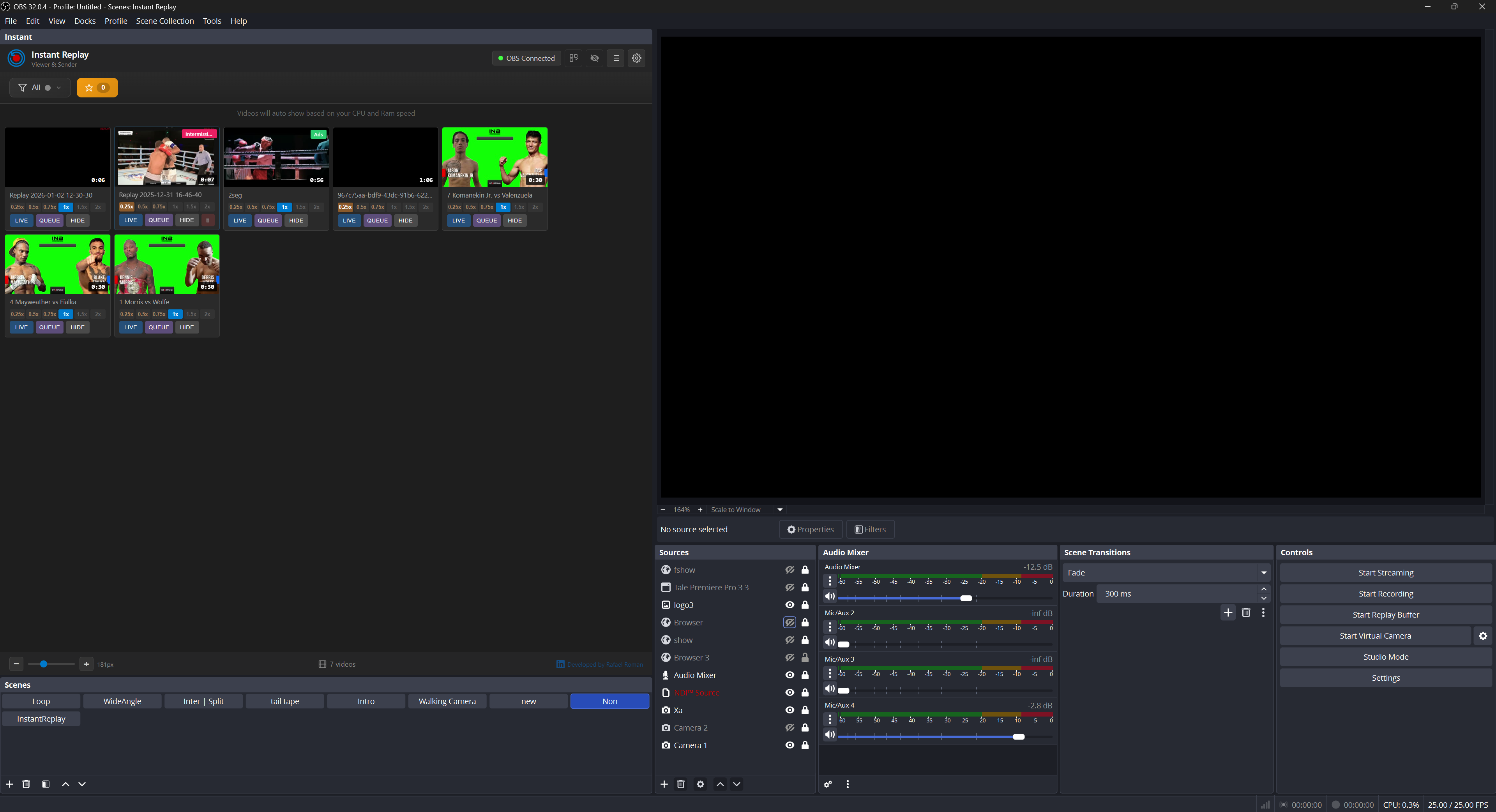
← DRAG TO SCROLL · CLICK TO ENLARGE →
◊ Pricing

How much does
Instant Replay cost?

One-time license or monthly membership. 14-day trial - no card needed.

∞ LIFETIME
One-Time License
$120$80once
Save $375 - launch price
Pay once, use forever
  • ✓ Core replay features
  • ✓ 1 computer
  • ⚡ AI Video Editor
  • ✓ Current version - lifetime
  • ✓ Community support (Discord)
OPTIONAL
Buy me a coffee
Any
amount
Help us grow
  • ✓ Support development
  • ✓ Help add new features
  • ✓ Our eternal gratitude
  • ✓ You choose the amount
🔒 Secure payment via Stripe · Cancel anytime · 7-day guarantee
✉ Get in touch

Have questions?
We're here to help.

💬

Technical Support

Setup help & troubleshooting

💳

Billing & Plans

Subscriptions & payments

◆

Discord

Chat with the community

◇ FAQ

Frequently asked questions.

From boxing and live events to esports tournaments and corporate keynotes - anywhere a live broadcast needs replays. Used by:

  • 🥊 Boxing & MMA - knockouts, submissions, round highlights with slow-mo
  • 📺 Live Productions - live events, broadcasts, pro productions of any kind
  • 🏀 Basketball & Soccer - goals, dunks, plays - replay the action instantly
  • 🎮 Esports Tournaments - clutch plays, team fights, highlight reels live
  • 🤼 Pro Wrestling - high-impact spots and finishers with frame-perfect timing
  • 🎤 Concerts & Music - performances, crowd reactions, and key moments
  • 🏢 Corporate Events - keynote replays, demos, broadcast-grade highlight reels
  • 🎓 Schools & Drama - athletic events, drama productions, graduations

Instant Replay is a broadcast-grade replay system for OBS Studio. It runs inside an OBS browser dock and lets you trigger slow-motion replays, queue highlight clips, and send them to your live stream with one click.

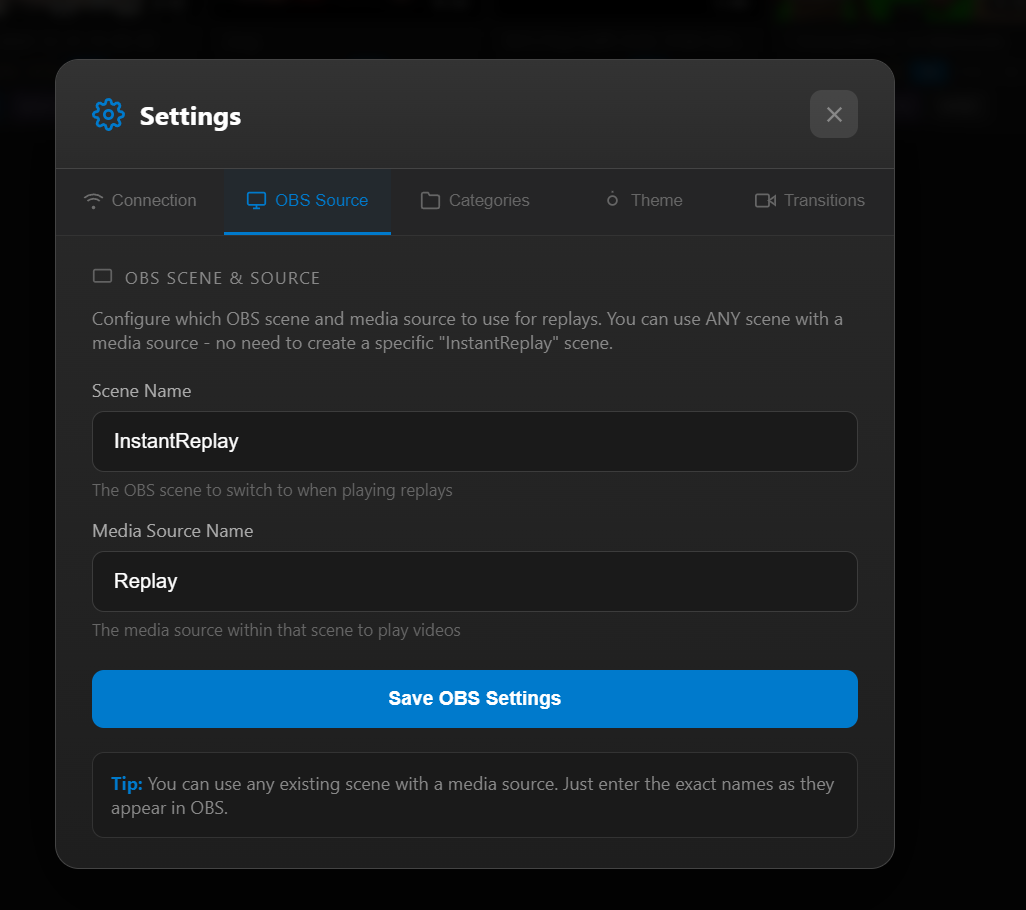
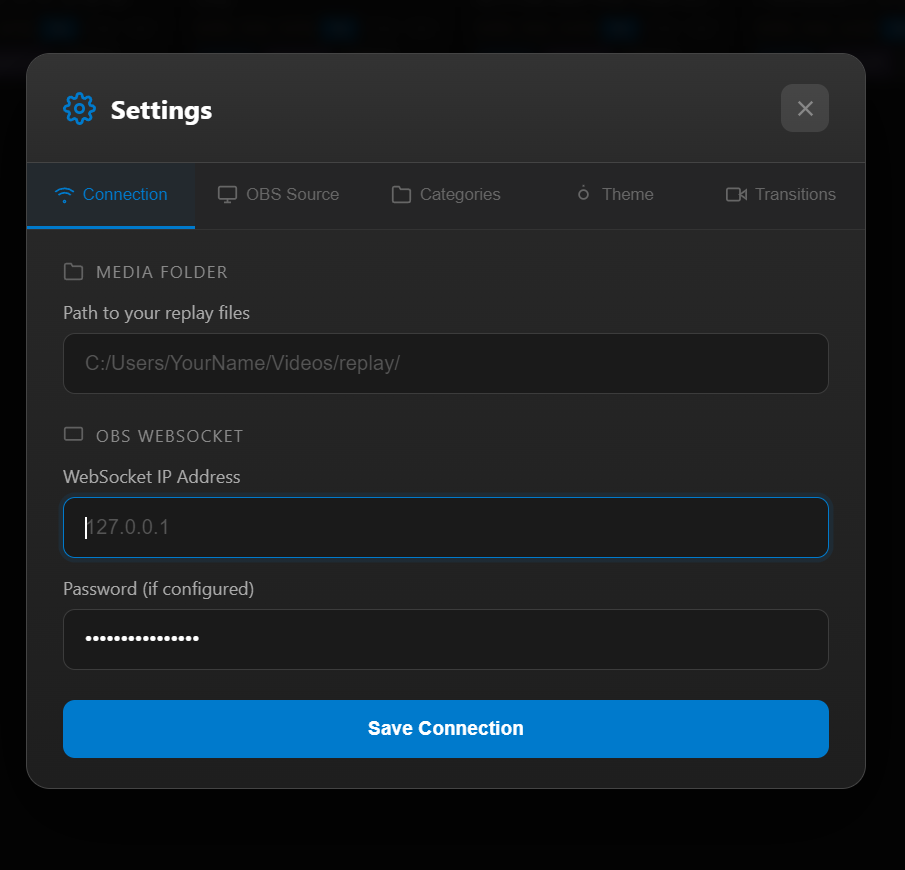
Instant Replay connects through the OBS WebSocket plugin. You add it as a Browser Source pointing to a local URL, choose your replay folder, and any clip OBS saves appears instantly. Click any clip to send it to your stream with slow-motion and frame-by-frame controls.

Yes. Instant Replay is fully supported on Windows 10/11 and macOS 12 or later. Both platforms get the same replay buffer, slow-motion, queue, and Stream Deck features. The AI Video Editor runs on both Windows and macOS.

Yes - Stream Deck is first-class via Global Hotkeys (no plugin install). Map F13-F19 to actions like play-pause, frame step, speed delta, scene switch, buffer save - directly in the Instant Replay dock. Works on every Elgato model (Mini, MK.2, XL, +, Mobile).

The built-in OBS Replay Buffer only saves a clip to disk - it doesn't show you the clip, doesn't let you pick the moment to play, and doesn't do slow-motion or queueing. Instant Replay gives you a live viewer, 1%-precision slow-motion, a queue system, AI moment detection, and Stream Deck controls.

Windows 10/11 or macOS 12+. OBS Studio 28+ with WebSocket plugin enabled. 8 GB RAM minimum (16 GB recommended for AI features). About 500 MB disk space plus your replay buffer storage. FFmpeg is included.

Yes - a 14-day free trial with full access to every feature. No credit card required. Enter your name and email and your trial license key is emailed instantly.

The one-time license has a 14-day money-back guarantee if the software does not work as described. Monthly subscriptions can be cancelled anytime - access continues until end of billing period.

Yes - Instant Replay works with any streaming destination supported by OBS Studio.

Yes - a 5-day offline grace period for license validation.

FREE TRIAL

Start your 14-day trial

Full access to every feature. Your license key is emailed instantly - no credit card needed.

  • All features unlocked for 14 days
  • No credit card required
  • Instant download · Windows & macOS